
Why Is My TV Not Turning On? Common Causes and Repair Solutions
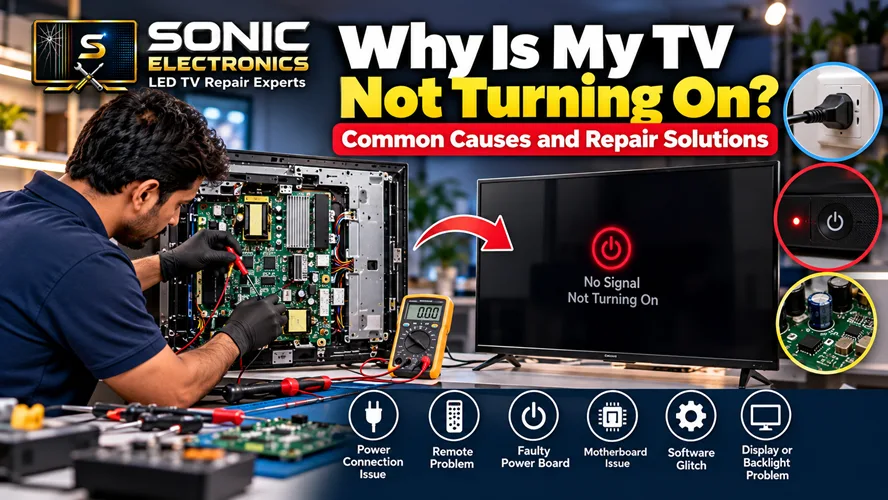
There are few things more frustrating than pressing the power button on your television and getting absolutely nothing. No picture, no sound, and sometimes not even a standby light. Before assuming that your TV has suffered a major failure, it is worth checking a few simple things first.
A TV that refuses to turn on can have several possible causes, ranging from a loose power connection or weak remote batteries to a faulty power board, motherboard, backlight circuit, or another internal component. The important thing is to identify the symptoms before deciding whether the television needs professional repair.
If you are looking for professional help locally, you can contact TV repair service in Vasundhara, Ghaziabad for diagnosis and repair assistance.
1. Check the Power Outlet First
The simplest explanation is sometimes the correct one: your TV may not be receiving electricity.
Check that the power plug is firmly inserted into the wall socket and that the cable is properly connected to the television. You can test the wall socket with another electrical device, such as a lamp or charger.
Manufacturers including Samsung, LG, and Sony recommend checking the outlet and power connection when a television does not turn on.
If you are using a power strip, extension board, or surge protector, temporarily connect the TV directly to a known working wall outlet. A faulty power strip can prevent the television from receiving power.
2. Look at the Standby Light
The standby indicator can provide an important clue.
If the standby light is on, the TV is generally receiving power. If pressing the remote does nothing, try the physical power button on the television itself.
If the TV starts using the physical button, the problem may be related to the remote control or its batteries. Samsung specifically recommends testing the TV’s own power button when the standby indicator is illuminated.
If the standby light is completely off, check the power cable and wall outlet. A TV with no standby indication may not be receiving power, although some models have settings that affect indicator lights.
A blinking standby light can be another useful warning sign. Depending on the model, it may indicate a power-related or internal hardware problem.
3. Try the TV’s Physical Power Button
Remote controls can fail for surprisingly simple reasons.
Replace the remote batteries and make sure there is nothing blocking the infrared sensor. Then locate the physical power button on the TV and press it directly.
If the television turns on with the physical button but not the remote, the TV itself may be working normally and the problem could be with the remote.
This is one of the easiest checks because it helps separate a remote-control problem from a television power problem.
4. Perform a Power Reset
Smart TVs can occasionally experience temporary electronic or software glitches. A power reset may clear the problem.
Turn the TV off if possible, unplug it from the wall outlet, and leave it disconnected for around 30 seconds. Then reconnect it to a working outlet and try turning it on again.
Samsung and Sony both recommend disconnecting the TV from power as part of troubleshooting procedures, although the exact reset period can vary by model.
If the TV still does not respond after a proper power reset, there may be a deeper problem requiring diagnosis.
5. Disconnect External Devices
Sometimes a connected device can complicate troubleshooting.
Disconnect devices such as:
- Set-top boxes
- Gaming consoles
- Soundbars
- Streaming devices
- HDMI accessories
- USB devices
After disconnecting everything, try turning the TV on again. Sony also recommends removing external devices when troubleshooting certain no-power situations.
If the TV starts normally after everything has been disconnected, reconnect the devices one at a time to identify whether one of them is contributing to the problem.
6. Faulty Power Board
If the wall outlet, cable, remote, and basic reset all check out, an internal power problem becomes more likely.
The power board is responsible for converting and distributing electrical power to the television’s various circuits. A failed component on this board can result in symptoms such as:
- No standby light
- TV completely dead
- Sudden shutdown
- TV clicking but not starting
- Repeated attempts to start
- TV turning off shortly after powering on
Internal power-board repairs should generally be handled by a qualified technician because televisions contain electrical components that can present safety risks even when the set is switched off.
7. Motherboard Problems
A television’s motherboard controls many important functions, including processing, inputs, software and communication between different components.
A faulty motherboard may cause the TV to remain stuck during startup, repeatedly restart, fail to respond to controls, or show other unusual symptoms.
Modern Smart TVs are particularly complex because they combine conventional television hardware with operating systems, apps, networking, HDMI processing and other functions.
Professional diagnosis is important because a motherboard symptom does not necessarily mean the entire board needs to be replaced.
8. The TV May Actually Be On but Have a Black Screen
Sometimes a TV appears completely dead when it is actually powered on.
For example, you may hear sound while the display remains black. In that situation, the problem could involve the LED backlight, display system, panel, T-Con board, motherboard, or another internal circuit.
Samsung notes that a TV can be powered on while appearing to have a black screen, so distinguishing a no-power problem from a no-picture problem is important.
Try increasing the volume or pressing another button on the TV. If you hear sound or see any response, the television may be operating even though the picture is missing.
9. When Should You Call a TV Repair Technician?
You should consider professional diagnosis when basic troubleshooting does not solve the problem.
A technician can inspect the television and determine whether the issue involves the power supply, motherboard, backlight, display circuitry, panel, connections, or another component.
For example, Sonic Electronics states that its Vasundhara service covers LED, LCD, Smart, OLED, QLED and 4K television repair, including power, display, backlight and motherboard-related problems.
A proper diagnosis is particularly important before purchasing expensive replacement parts. Replacing a component without confirming the actual fault can waste money and may not solve the problem.
10. Repair or Replace the TV?
Not every TV that stops turning on needs to be replaced.
The decision depends on several factors, including the television’s age, model, condition, replacement-part availability, repair cost and whether the panel itself is damaged.
A relatively new television with a repairable power or circuit problem may be worth repairing. On the other hand, an older TV with extensive panel damage or multiple major faults may require a different cost-benefit calculation.
The best approach is to get a proper diagnosis and repair estimate before making a decision.
Final Thoughts
When your TV won’t turn on, don’t immediately assume the worst. Start with the basics: check the wall outlet, inspect the power cable, test the physical power button, replace the remote batteries, perform a power reset and disconnect external devices.
If the television still refuses to turn on, especially if there is no standby light or the indicator is blinking, the problem may involve an internal component. At that point, professional diagnosis is safer and more practical than attempting to open the TV yourself.
For customers in the local area, professional TV repair service in Vasundhara, Ghaziabad can be a useful option for getting the television inspected and determining the appropriate repair solution.
Frequently Asked Questions About a TV That Won’t Turn On
1. Why is my TV not turning on even though it is plugged in?
A plugged-in TV may still fail to turn on because of a faulty outlet, loose power cable, remote-control problem, internal power-board fault, motherboard issue, or another hardware problem. First test the outlet with another device and reconnect the TV securely.
2. What does it mean when my TV has no standby light?
A missing standby light can indicate that the television is not receiving power. Check the power cord and try a known working wall outlet. However, some TV models allow the indicator to be disabled through settings, so the light alone is not always conclusive.
3. Why does my TV have a standby light but won’t turn on?
If the standby light is illuminated but the TV doesn’t respond, try the physical power button on the television. If that works, check the remote batteries and remote operation. If neither the remote nor physical button works, professional diagnosis may be necessary.
4. Why is my TV’s standby light blinking?
A blinking indicator can be associated with a power issue or an internal hardware problem, depending on the television model. Try unplugging the TV, waiting, and connecting it directly to a known working wall outlet. If the light continues blinking, arrange a professional inspection.
5. Can a power reset fix a TV that won’t turn on?
Yes, a power reset can sometimes clear a temporary electronic or software problem. Disconnect the television from power and reconnect it after the recommended waiting period for your model. If the problem continues, further diagnosis may be required.
6. Why does my TV have sound but no picture?
If you can hear sound but the screen remains black, the television may actually be powered on. Possible causes include backlight failure, display circuitry, panel problems, T-Con issues or motherboard-related faults. Professional testing can help identify the exact cause.
7. Should I repair or replace a TV that won’t turn on?
There is no single answer for every television. Consider the TV’s age, model, repair cost, panel condition and availability of replacement components. Getting a diagnosis and estimate first can help you compare the repair with the cost of replacing the television.
8. Is it safe to open my TV to check the power board?
It is generally better not to open a television unless you have the appropriate technical training and equipment. Internal electronic components can present electrical hazards. Basic external checks such as testing the outlet and power connection are safer; internal diagnosis should be handled by a qualified technician.
9. Can HDMI devices stop a TV from turning on?
External devices can sometimes complicate startup or troubleshooting. Disconnect HDMI, USB, gaming consoles, streaming devices and soundbars, then try starting the TV by itself. Sony recommends disconnecting external devices during certain no-power troubleshooting procedures.
10. Where can I get TV repair in Vasundhara, Ghaziabad?
If basic troubleshooting does not solve the problem, you can contact TV Repair Service in Vasundhara, Ghaziabad for professional TV diagnosis and repair assistance. Sonic Electronics lists doorstep service for several television types and common power, display, backlight and motherboard problems.